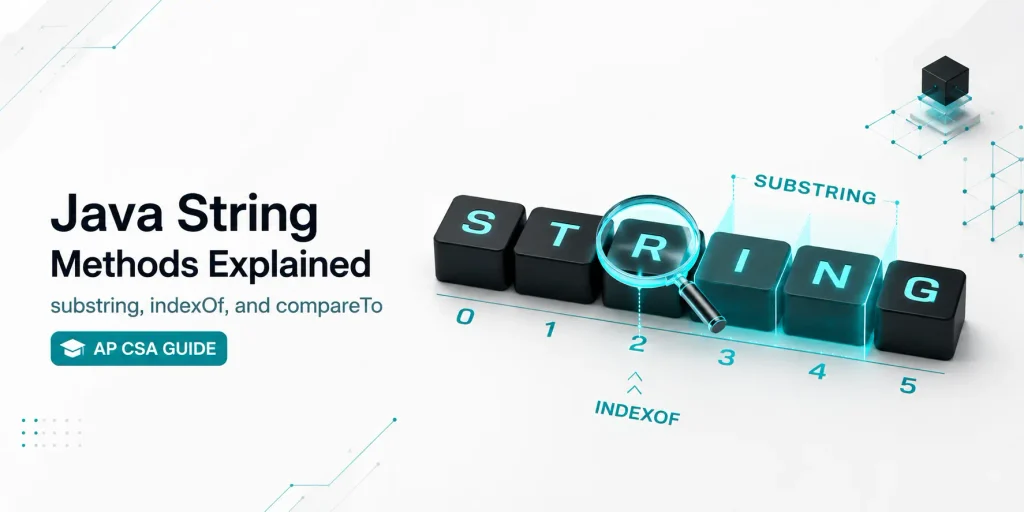
Quick Summary: In Java, String objects are immutable. To manipulate text, developers must use built-in String methods like substring() to extract text, indexOf() to locate characters, and equals() or compareTo() to evaluate text conditions. Because Strings are objects, not primitives, you cannot safely compare them using ==. Mastering these methods is mandatory for avoiding runtime exceptions and writing clean code.
After years of helping students debug their code, the most common mistakes on the AP Computer Science A exam always come down to boundary errors in text manipulation.
Here is the complete, scenario-based breakdown of the most heavily tested String methods in Java, exactly how they work, and how they break.
| Method | Return Type | Description | Common AP CSA Error |
|---|---|---|---|
length() | int | Returns total character count | Using .length instead of .length() |
substring(from, to) | String | Extracts characters up to to - 1 | StringIndexOutOfBoundsException |
indexOf(str) | int | Returns index of first match | Missing the -1 check in logic loops |
compareTo(other) | int | Compares strings alphabetically | Misinterpreting negative/positive returns |
1. length()
Returns the total number of characters in the String.
The Trap: Do not confuse this with arrays! Arrays use the .length property (no parentheses), while Strings require the .length() method.
String word = "Computer";
int size = word.length();
// size is 82. substring(int from, int to)
This is the most critical method for AP CSA Free Response Questions (FRQs). It extracts a portion of the string.
- One parameter:
substring(int from)starts at the given index and goes to the very end of the string. - Two parameters:
substring(int from, int to)starts at thefromindex and stops before thetoindex. Thetoindex is always exclusive.
How it works perfectly:
String text = "Algorithm";

// Starts at 0, stops BEFORE 4
String part1 = text.substring(0, 4);
// part1 is "Algo"

// Starts at 4 and goes to the end
String part2 = text.substring(4);
// part2 is "rithm"
How it breaks (StringIndexOutOfBoundsException):
If you provide an index that doesn’t exist, your program will crash.
String text = "Algorithm";
String crash = text.substring(0, 20); // ERROR: Index 20 does not exist!
Need a quick refresher on loops before the exam? Check out our Java For-Each Practice MCQs.
The AP CSA FRQ Trick:
When asked to loop through a String one character at a time, use a for loop combined with substring(i, i + 1).
String str = "Java";
for (int i = 0; i < str.length(); i++) {
    System.out.println(str.substring(i, i + 1));
}
// Output:
// J
// a
// v
// a
Important AP CSA Boundary Conditions (Edge Cases)
- Empty Substring:
str.substring(2, 2)safely returns""(an empty string). It does not crash. - Full-Length Substring:
str.substring(0, str.length())safely returns the entire string. - Out of Bounds:
str.substring(0, str.length() + 1)will immediately crash and throw aStringIndexOutOfBoundsException.
3. indexOf(String str)
Returns the starting index of the first occurrence of the specified text.
The Scenario: If the text is not found anywhere in the string, it returns -1. This is incredibly useful for writing conditions that search through datasets to see if a keyword exists.
String phrase = "Java Programming";

int pos1 = phrase.indexOf("Pro");
// pos1 is 5

int pos2 = phrase.indexOf("Python");
// pos2 is -1 (not found, safe to use in logic checks)
4. equals() vs. compareTo()
Because Strings are objects, using == only checks if they share the exact same memory location, which causes massive logic bugs.
equals()returnstrueif the characters match exactly.compareTo()compares strings alphabetically. It returns0if they are identical, a negative number if the first string comes alphabetically before the second, and a positive number if it comes after.
String a = "Apple";
String b = "Banana";
String c = "Apple";

boolean check = a.equals(c);
// check is true

int result = a.compareTo(b);
// result is a negative number (Apple is before Banana)
Practice Quiz: Test Your Logic
Question 1: What is the output of the following code?
String word = "Science";
System.out.println(word.substring(1, 4));
- A) Scie
- B) cien
- C) cie (Correct Answer – indices 1, 2, and 3)
- D) cience
Question 2: Why should you avoid using == to compare two Strings?
- A) It causes a compilation error.
- B) It only checks if the memory addresses are the same, not the actual text. (Correct Answer)
- C) It automatically converts the Strings to lowercase.
- D) It only works on primitive types like int and double.
Question 3: If String str = "Hello";, what will str.indexOf("lo") return?
- A) 2
- B) 3 (Correct Answer – the sequence “lo” starts at index 3)
- C) 4
- D) -1
Ready for Real AP CSA Exam Practice?
Reading about String methods is easy, but applying them flawlessly under the time limits of an AP Computer Science A Free Response Question (FRQ) is where most students lose points. Don’t let tricky loop bounds and substring boundary errors lower your score.
Leave a Reply